Counting down to payday
You want to know what is safe to spend between now and your next paycheck, without opening a spreadsheet.
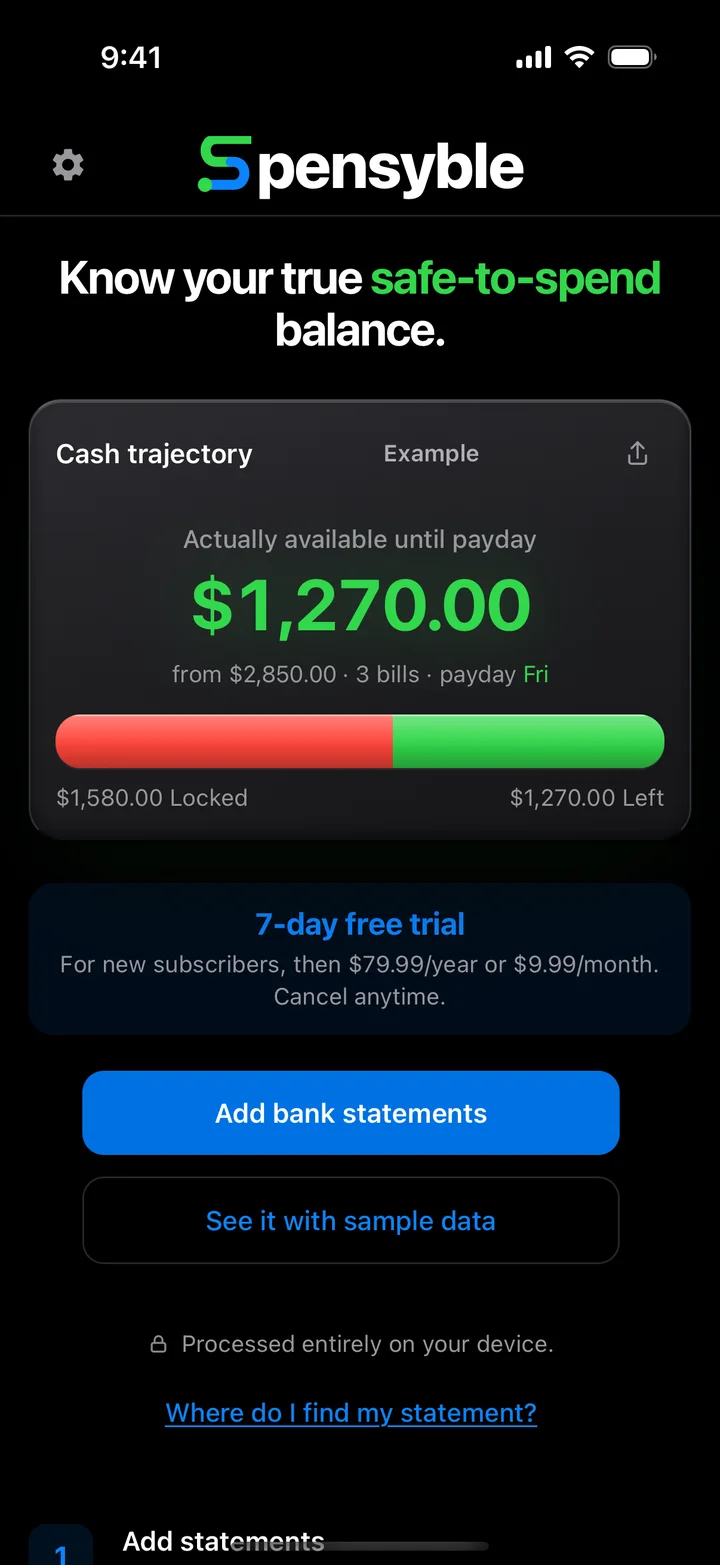
Add a bank statement you already have. Spensyble finds your paycheck and your bills, then shows exactly how much you can spend before payday.
7-day free trial for new subscribers, then $79.99/year or $9.99/month. Cancel anytime.
 On a computer?Point your iPhone camera here to download.
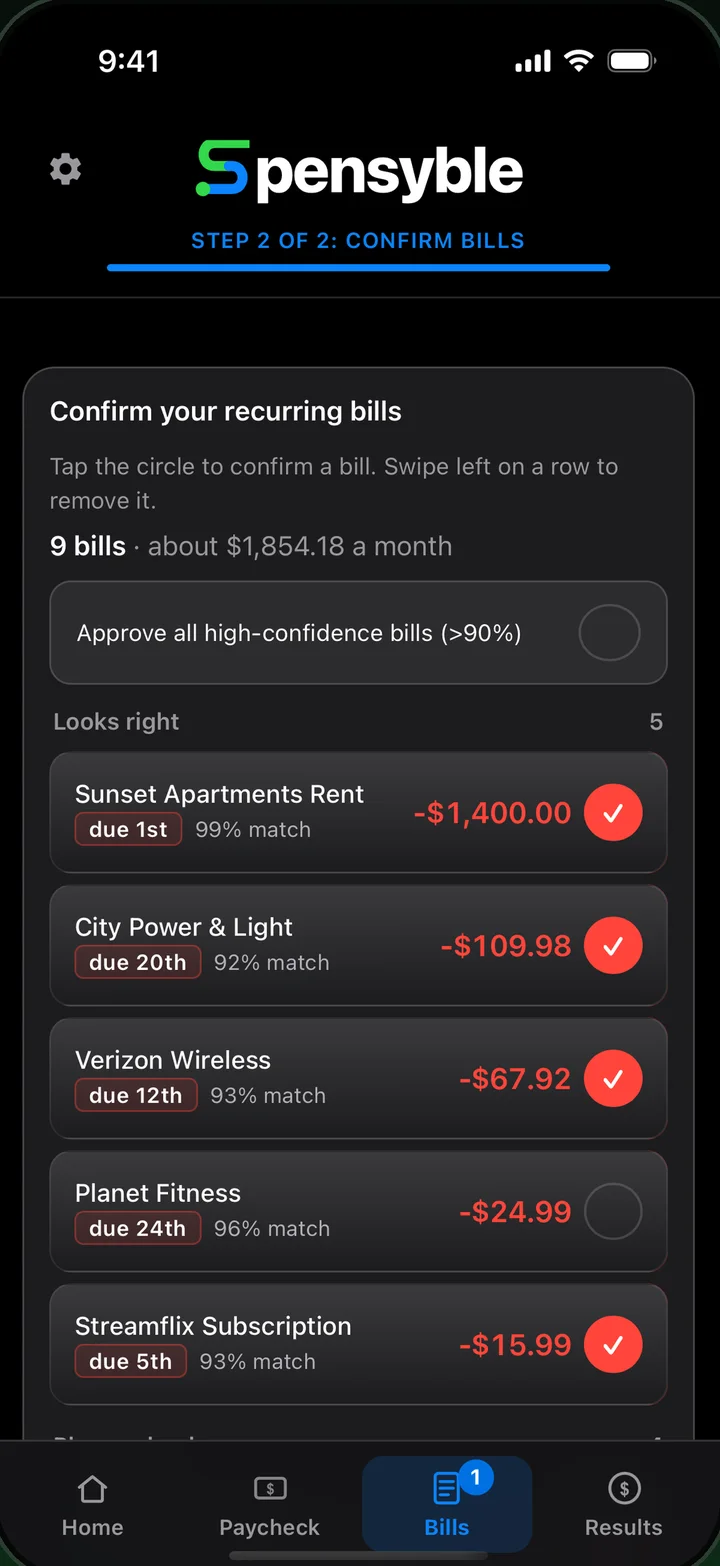
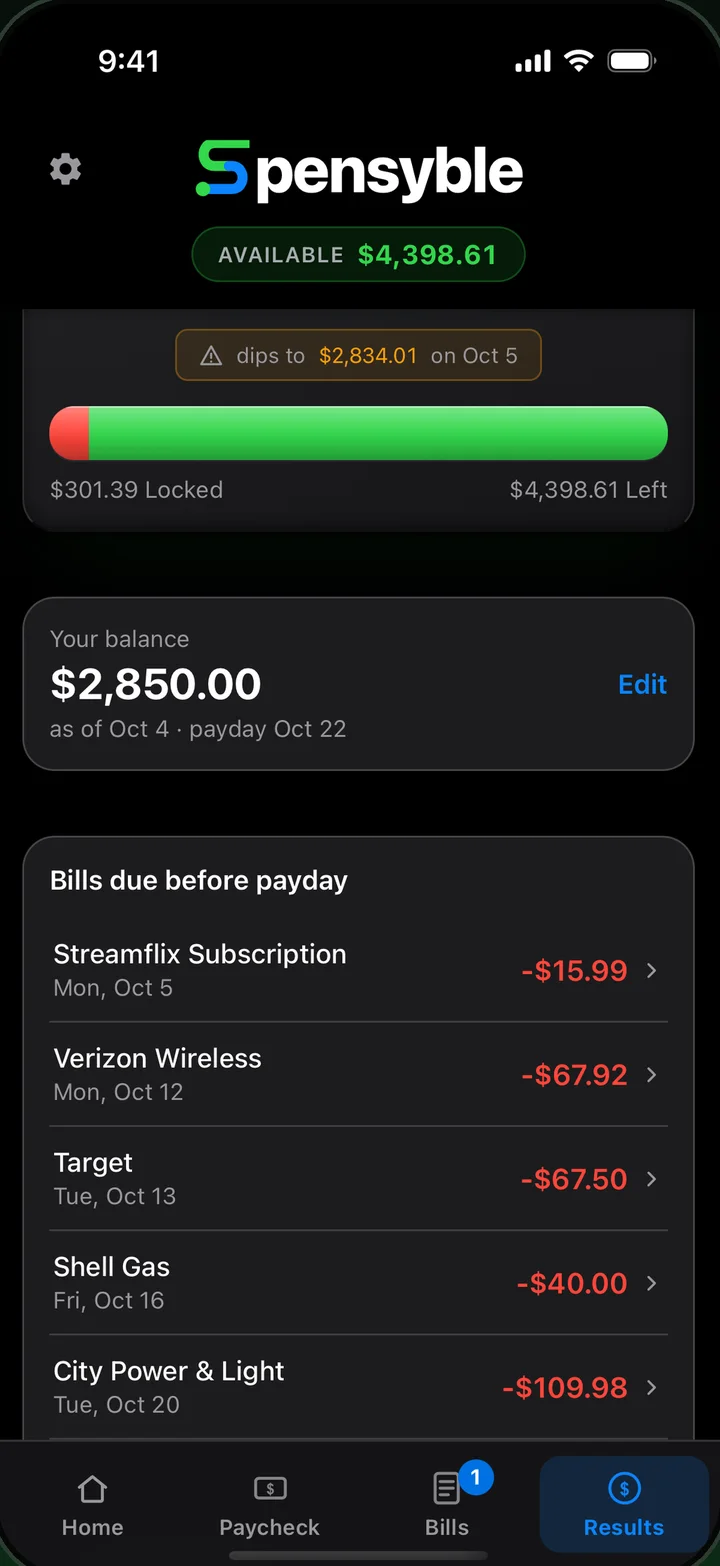
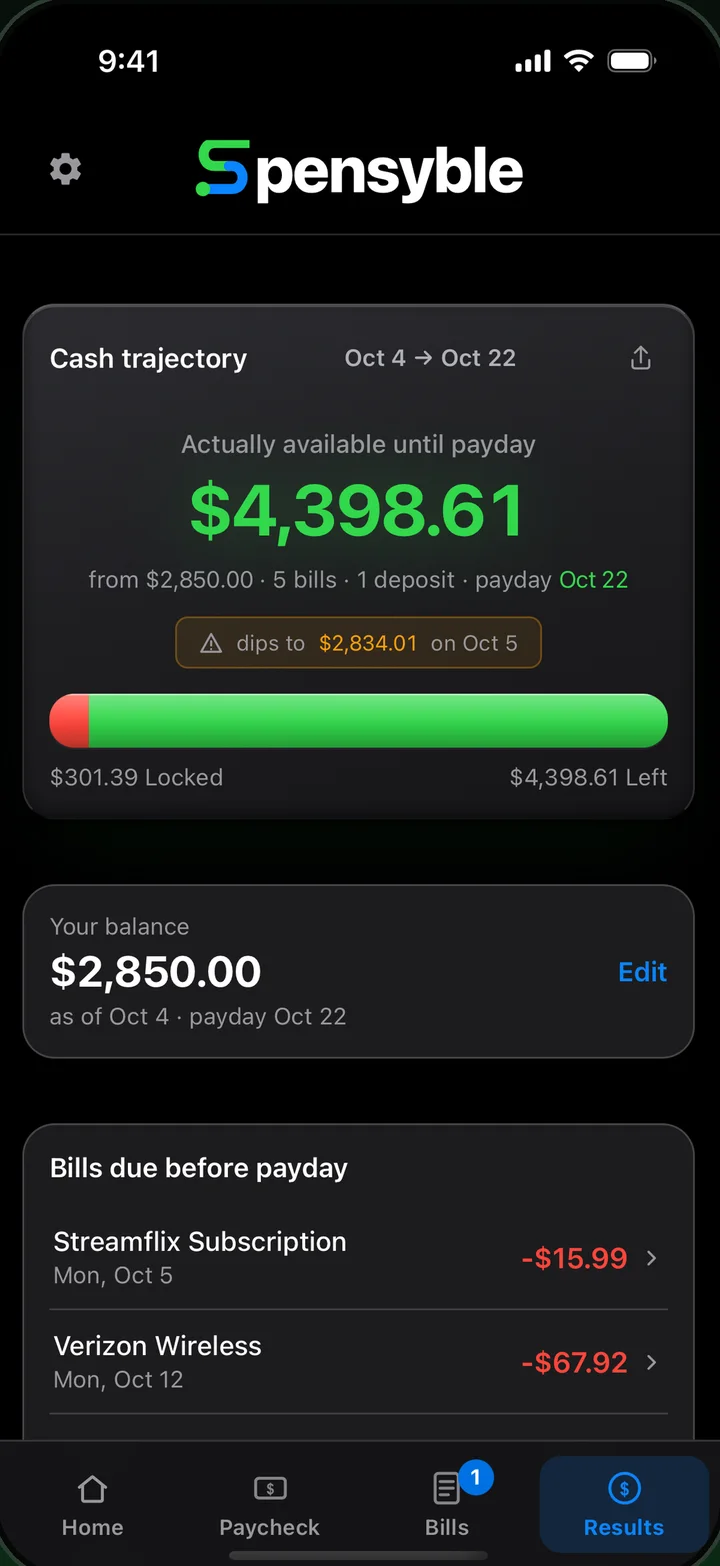
A quick walkthrough with sample data: confirm what Spensyble found, set your payday, and see what is actually yours to spend.
No setup, no sign-up with your bank. Start with a statement you already have.
Pick a statement from your phone. Three to six months gives Spensyble enough history to spot what repeats.
Spensyble finds the income and the recurring bills for you. You stay in charge: tap to confirm, swipe to remove.
Enter today's balance. Spensyble takes out every bill due before your next payday and shows what is left.
You want to know what is safe to spend between now and your next paycheck, without opening a spreadsheet.
You would rather keep your credentials to yourself. Spensyble works from a statement you already have. Using a credit union?
Rent, phone, utilities, streaming. See every recurring bill and exactly when it hits.
How much can you actually spend before payday? Everything in Spensyble exists to answer it.
Your balance, minus every confirmed bill due before your next payday. One number you can trust.
Recurring income and bills are detected for you, each with a confidence score and a due day.
Bring in whatever your bank lets you download. Add three to six months for the best read.
Add next month's statement without double counting. Repeats and near-matches are flagged for you.
A dated list of what is coming, in order. Adjust a single bill for one month without changing the rest.
See what your bills add up to each month, so nothing about your fixed costs is a surprise.
Send your Cash trajectory as a clean image, to a partner or a budgeting buddy.
Dark by default, with a light mode switch in Settings when you want it.
Back up your data to a file and restore it on a new phone. Undo is there when you remove something by mistake.
Spensyble is a local-first app. There is no server that receives your financial data, so there is nothing for us to see, store or sell.
Read the privacy policy →I've always wanted an app that would allow me to quickly see what my balance would be any day of the month without the hassle of manual calculations or spreadsheets.
Most other apps have long, cumbersome setup processes where bank linking just doesn't work. I wanted something faster and more private, so Spensyble works from a statement you already have, and everything stays on your phone.
MattFounder of Spensyble
spensyblesupport@gmail.comNew subscribers get a 7-day free trial on either plan. Cancel anytime in your App Store settings.
About $6.67 a month. Save 33%.
Flexible. Cancel whenever you like.
Subscriptions auto-renew until cancelled. Cancel in your App Store account settings at least 24 hours before the end of the current period. Payment is handled by Apple.
No. Spensyble never asks for a bank login and never links to your account. You add a statement file you download yourself, and everything is worked out on your phone.
Sign in to your bank's website or app and look for Statements, Documents or Download transactions. Choose CSV, Excel or PDF, and pick the last three to six months. Inside the app, tap "Where do I find my statement?" for a reminder.
No. Statements, balances and bills are processed entirely on your iPhone. There is no server that receives your financial data. See the privacy policy for the details.
You enter your balance. Spensyble subtracts every bill you have confirmed that falls due before your next payday, and what remains is your safe-to-spend amount until payday.
Spensyble checks for duplicates and flags repeated and near-matching transactions, so adding a new month from the same account will not double count what you already loaded.
Yes. Tap "See it with sample data" on the first screen to explore with made-up numbers. New subscribers also get a 7-day free trial.
Open Settings on your iPhone, tap your name, then Subscriptions, and choose Spensyble. You can also tap Manage Subscription inside the app's settings. Cancel at least 24 hours before the period ends to avoid renewal.
Spensyble is made for iPhone and needs iOS 16 or later.
No. Spensyble is an informational tool. Please verify your account balances with your bank before making financial decisions.
Email spensyblesupport@gmail.com or visit the support page. We read every message.
Download Spensyble and see your true safe-to-spend balance in a few minutes.
7-day free trial for new subscribers. No bank login.
On a computer?Point your iPhone camera here to download.